Desktop App — Free

AI-Powered App Store
Keyword Research

Discover untapped keywords, generate optimized listings, build stunning screenshots — then publish directly to Play Store and App Store. All from one desktop app.

macOS, Windows & Linux — No credit card required

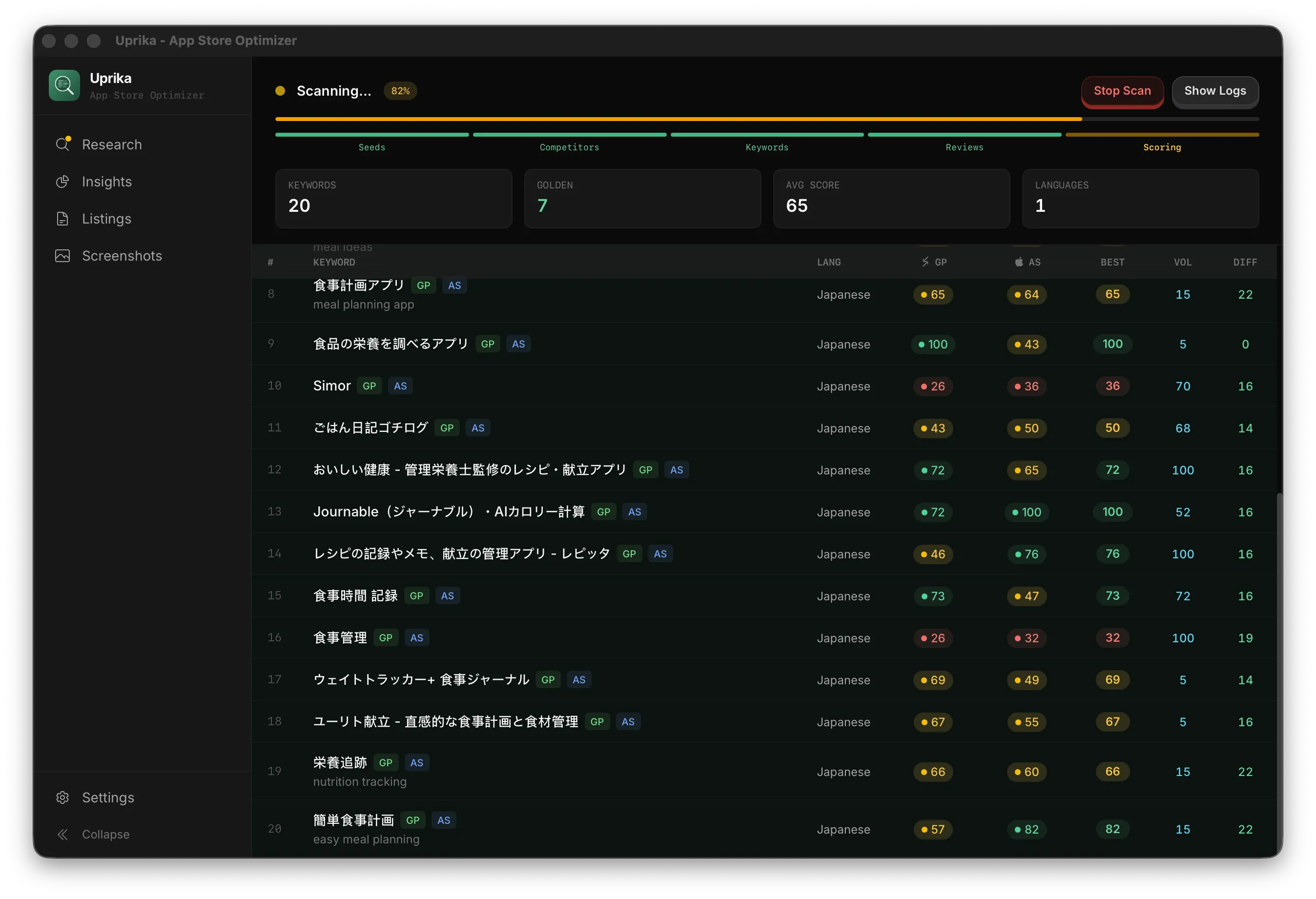
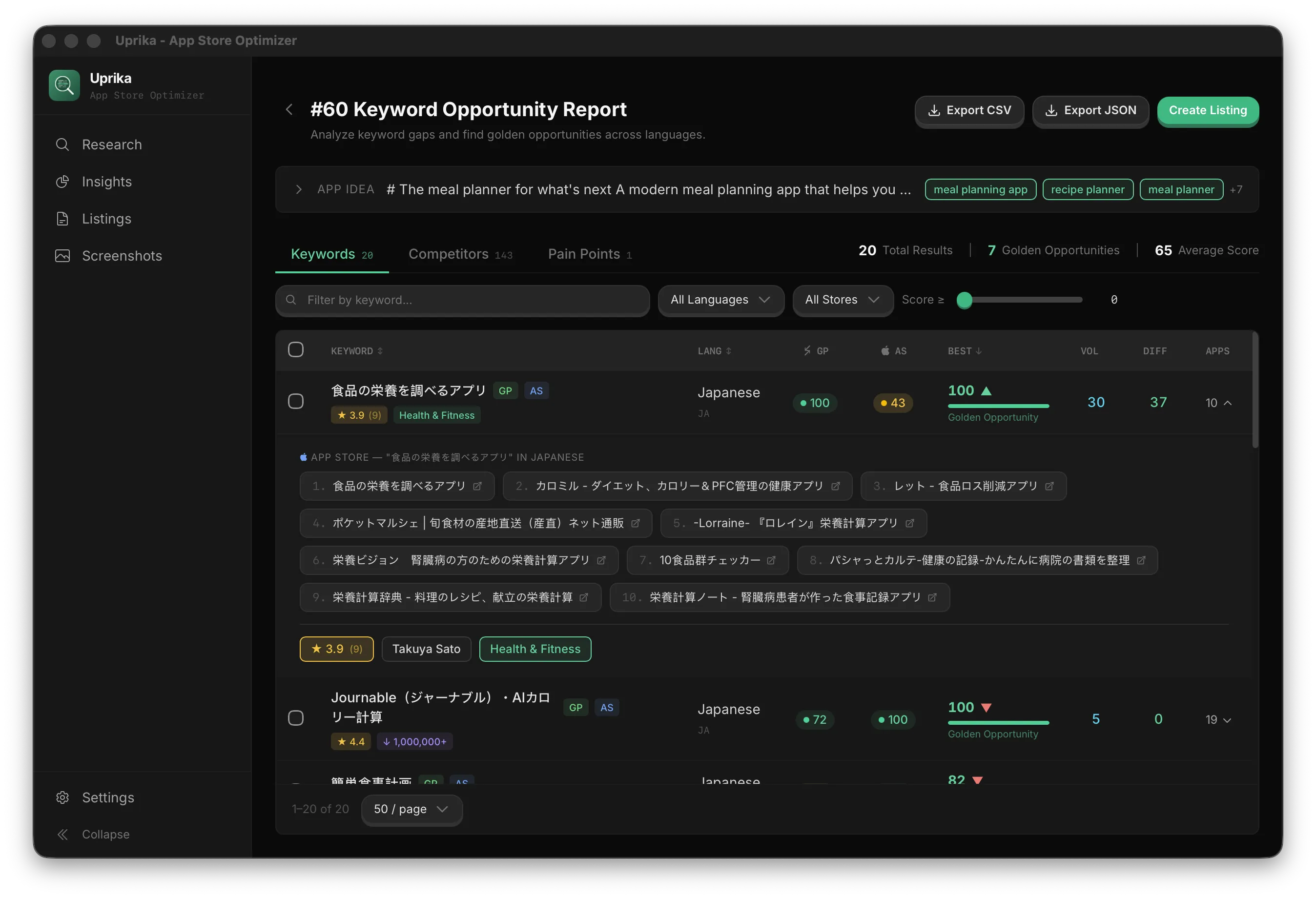
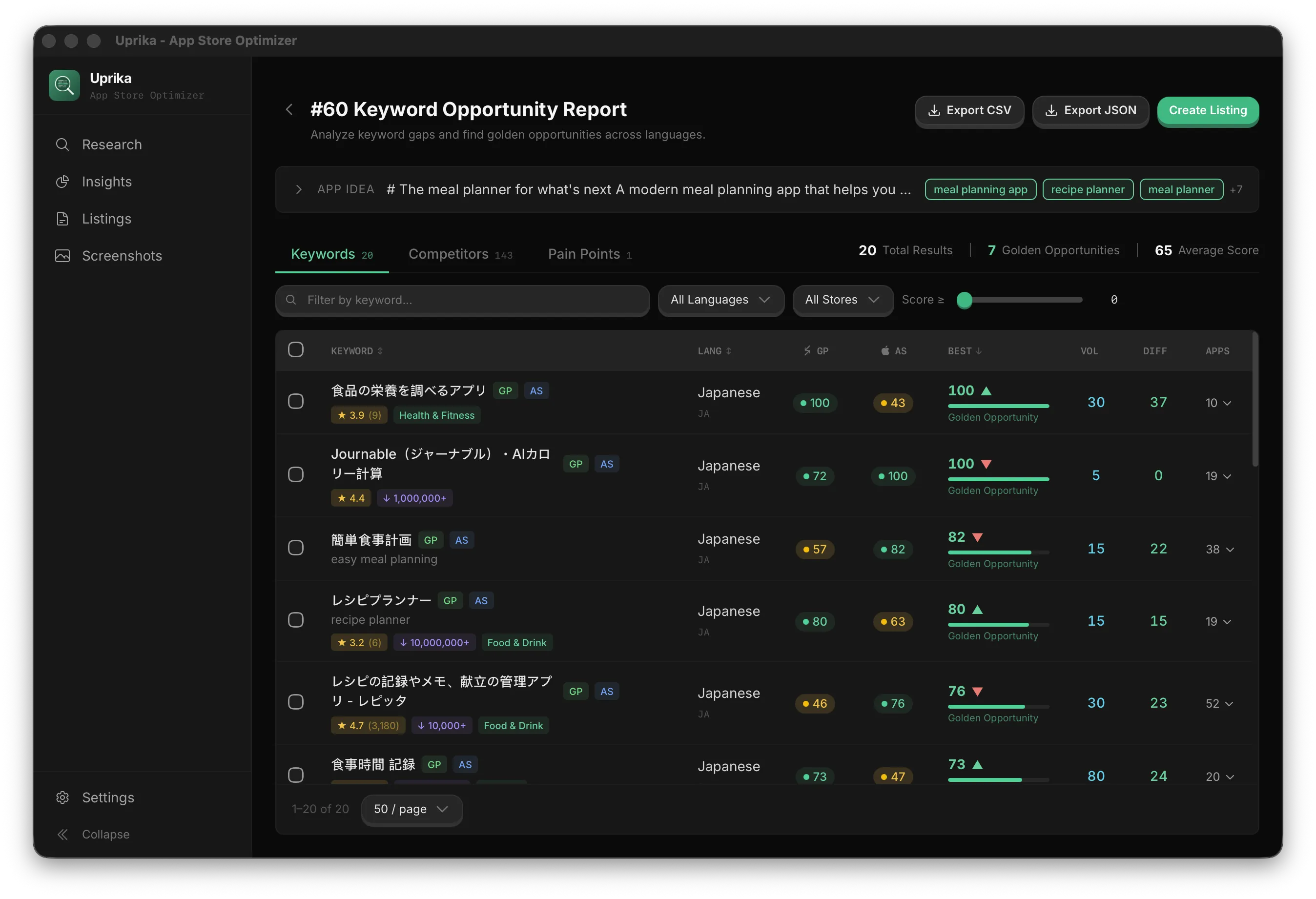
Uprika — Keyword Opportunity Report

Features

Everything You Need for ASO

From keyword research to store publishing — one integrated workflow.

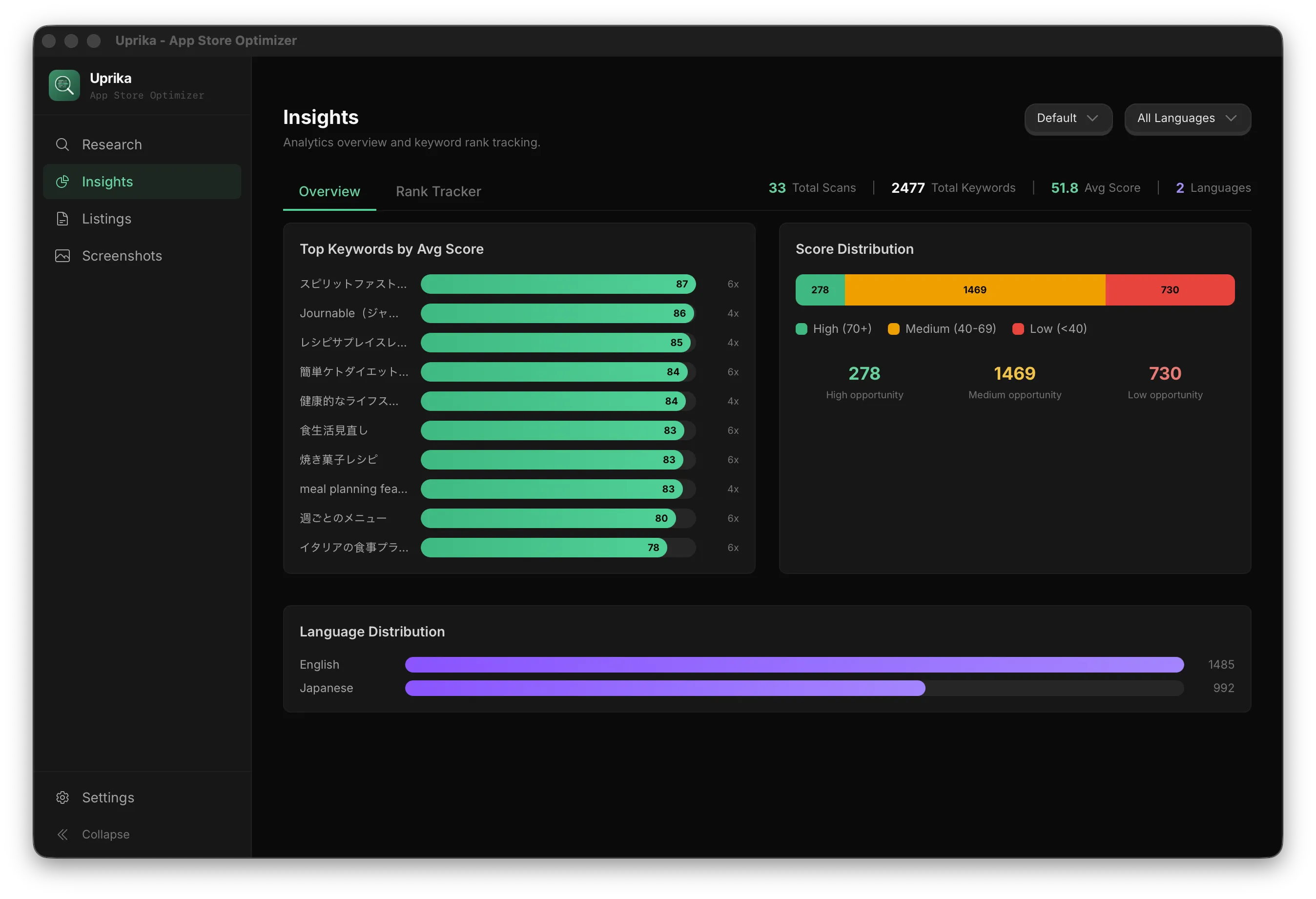
Keyword Research

AI-powered keyword discovery across languages. Find golden opportunities your competitors are missing.

AI Listing Generation

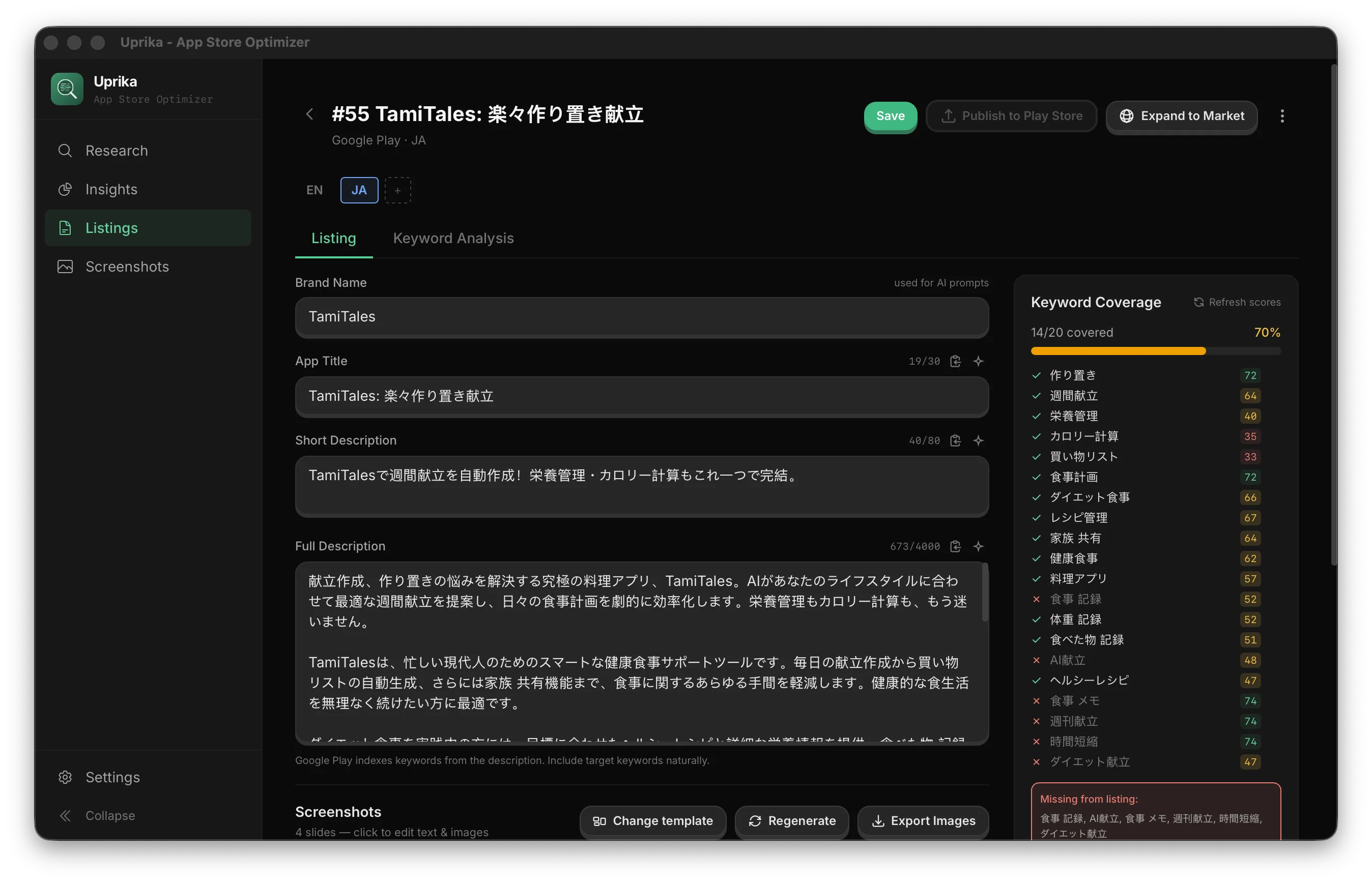
Generate keyword-optimized titles, descriptions, and metadata for both App Store and Google Play.

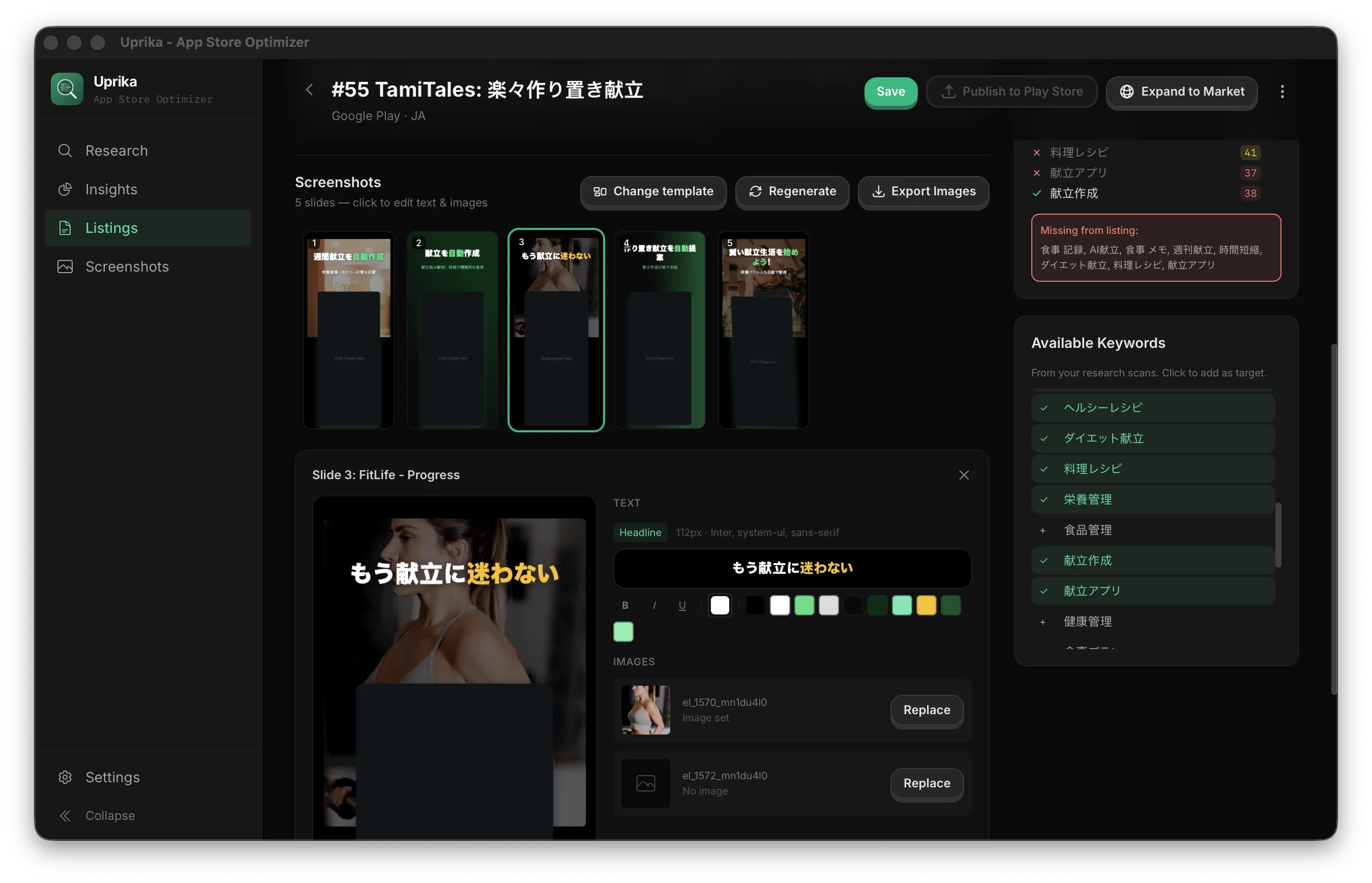
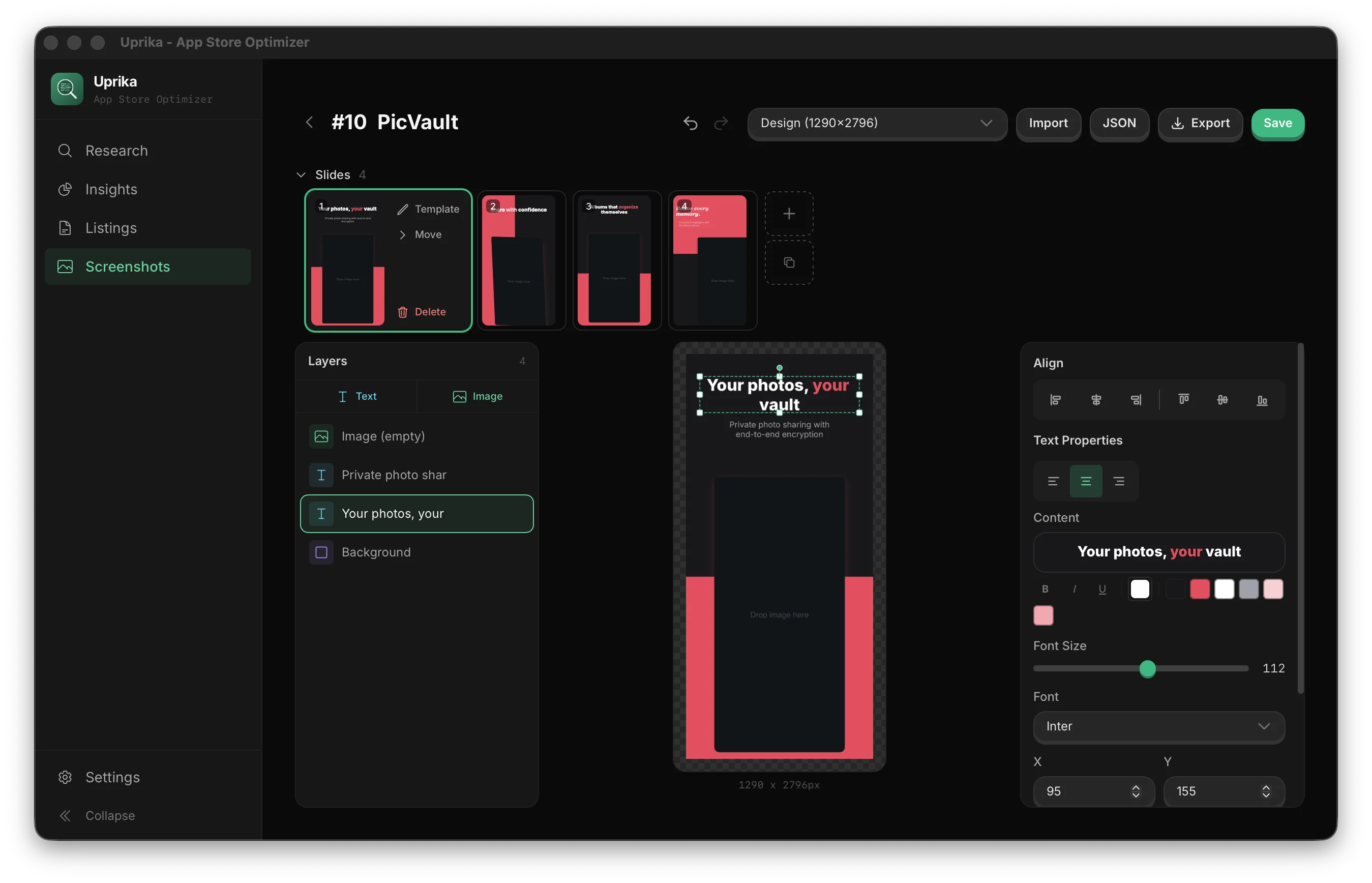
Screenshot Builder

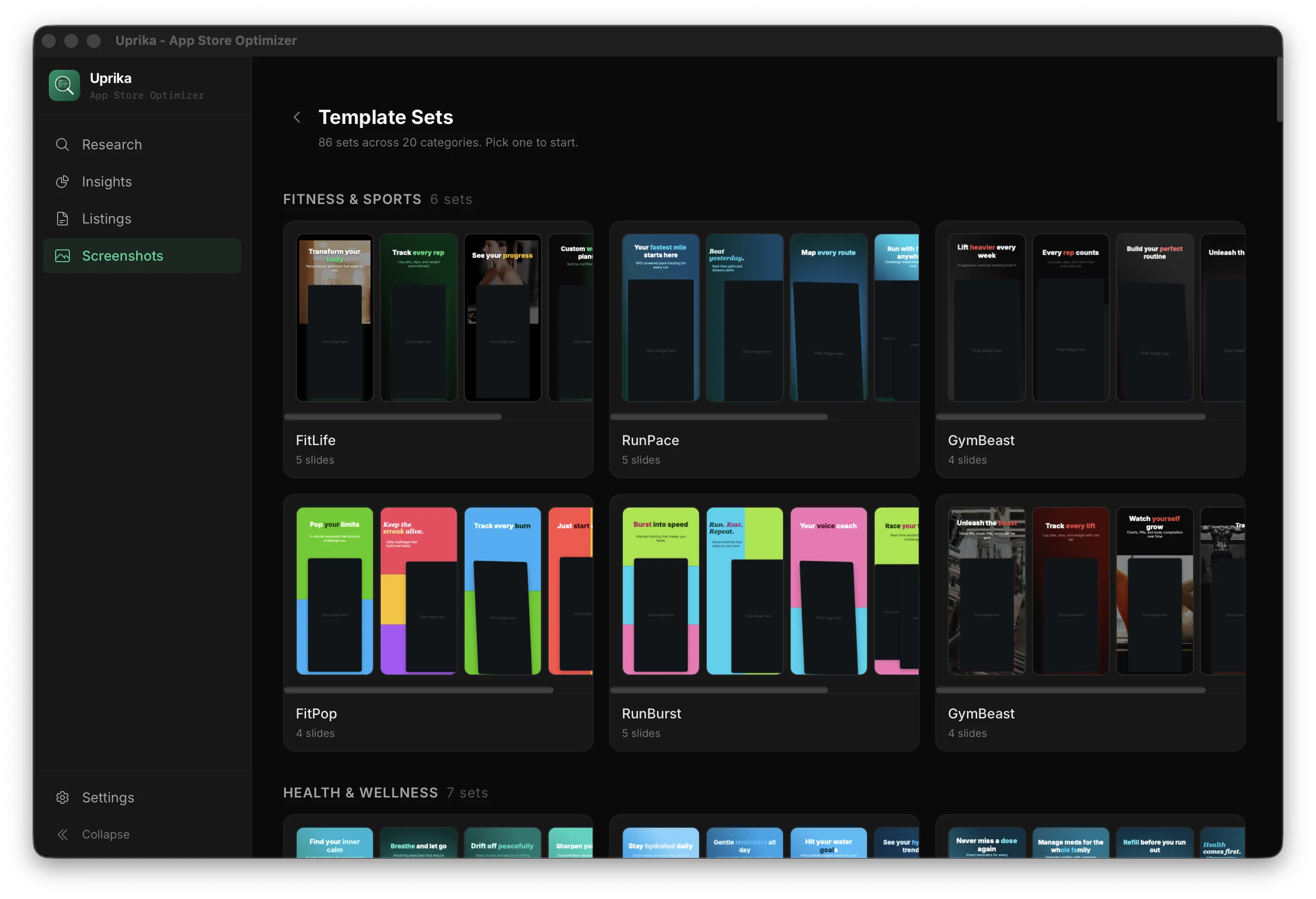
Visual editor with templates. Create professional screenshots with AI-generated text and one-click export.

Multi-Language Expansion

One-click expand to any language. AI translates your listing, keywords, and screenshot text for new markets.

Direct Publishing

Publish directly to Play Store and App Store using your API keys. Credentials stored securely in OS keychain.

CLI & Automation

Full CLI for scripting and AI agents. Scan keywords, generate listings, and publish — all from the terminal or through agent automation.

Workflow

From Idea to Global Store Presence

Three steps. One tool. Every language.

1

Research Keywords

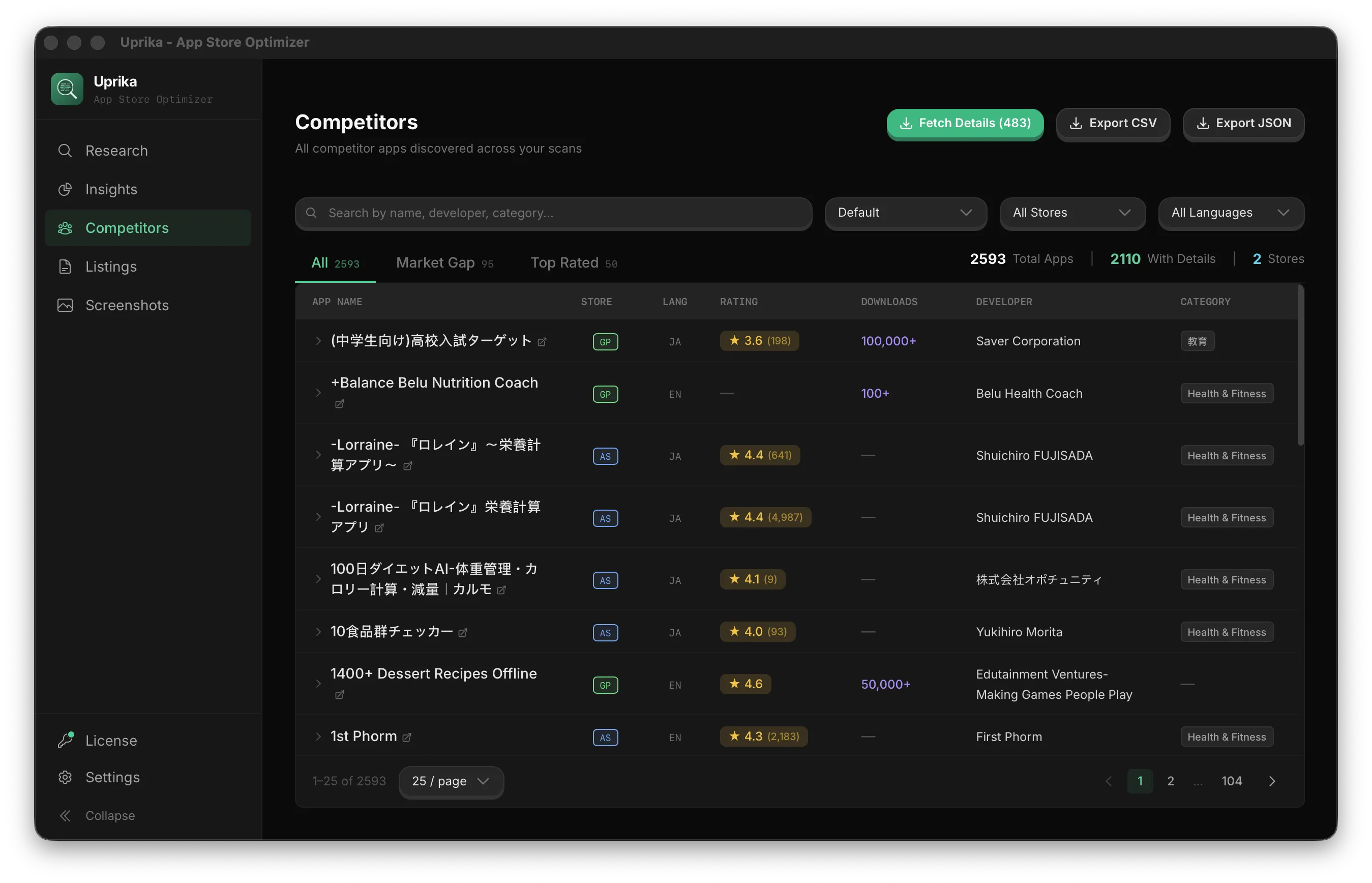
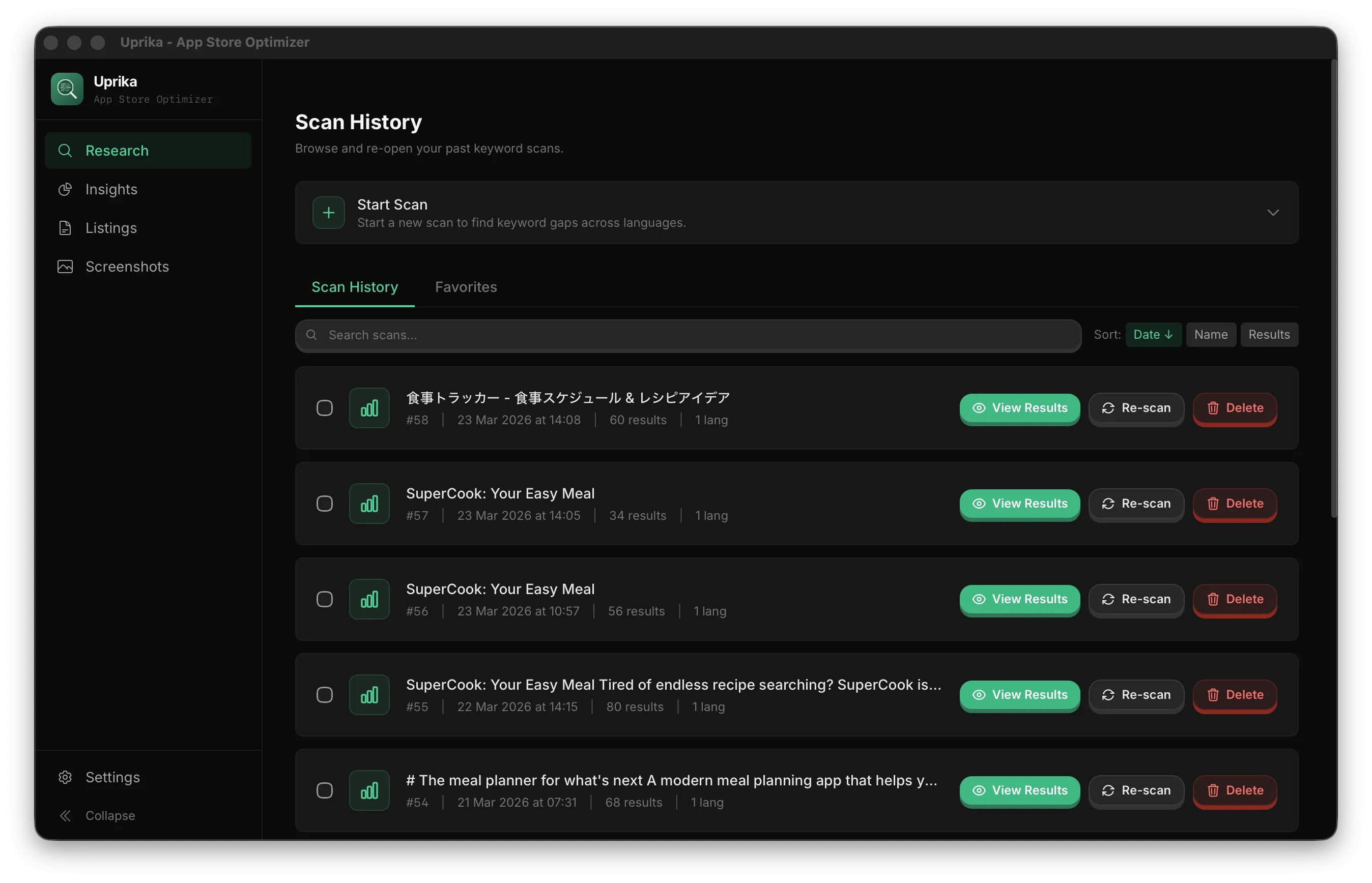
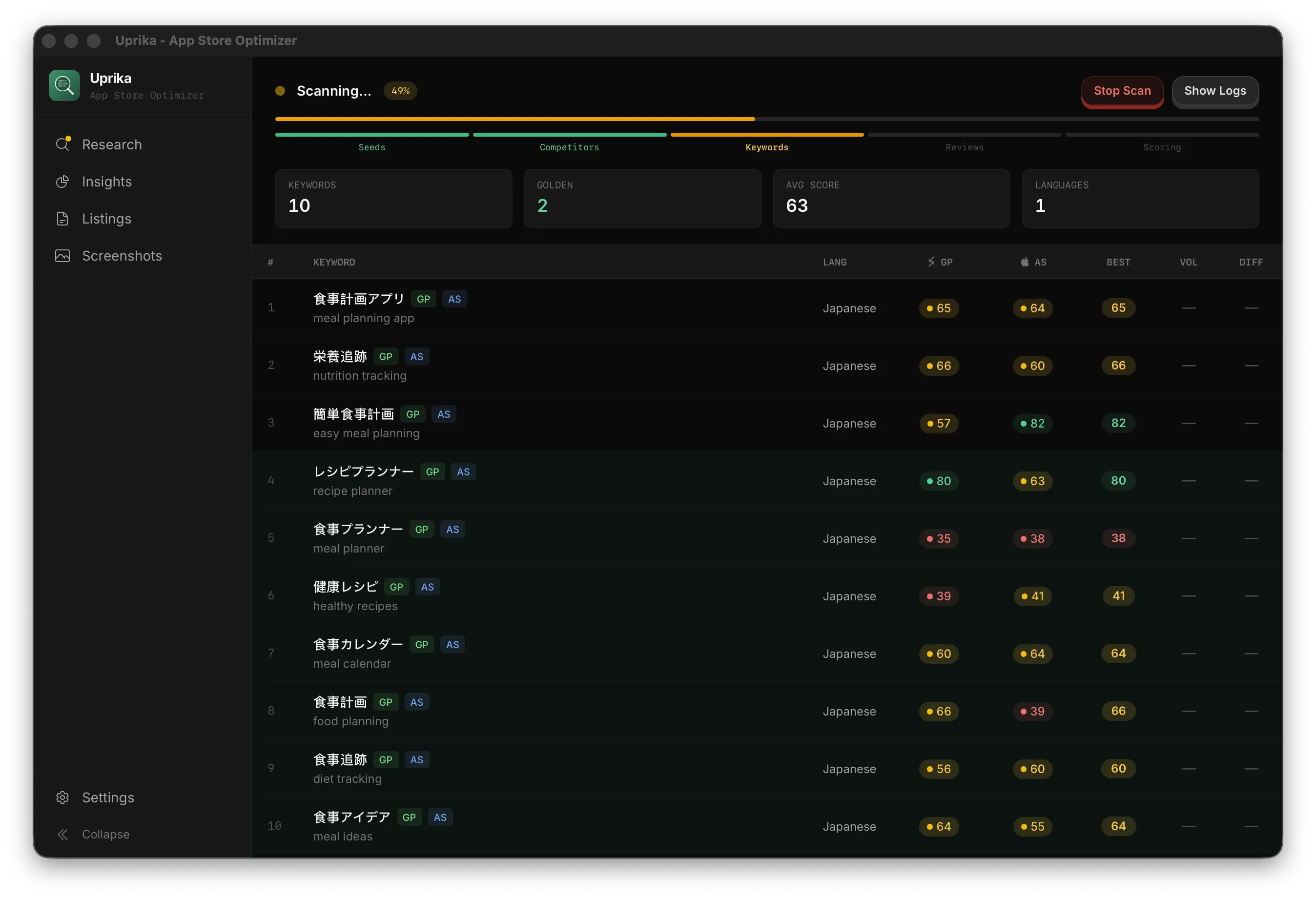
Enter your app idea, paste a URL, or provide custom keywords. AI brainstorms seed keywords, then scrapes real App Store and Google Play data to score each opportunity.
  • AI-powered keyword brainstorming
  • Real store data scraping & scoring
  • Multi-language scans in one go
2

Generate & Optimize Listing

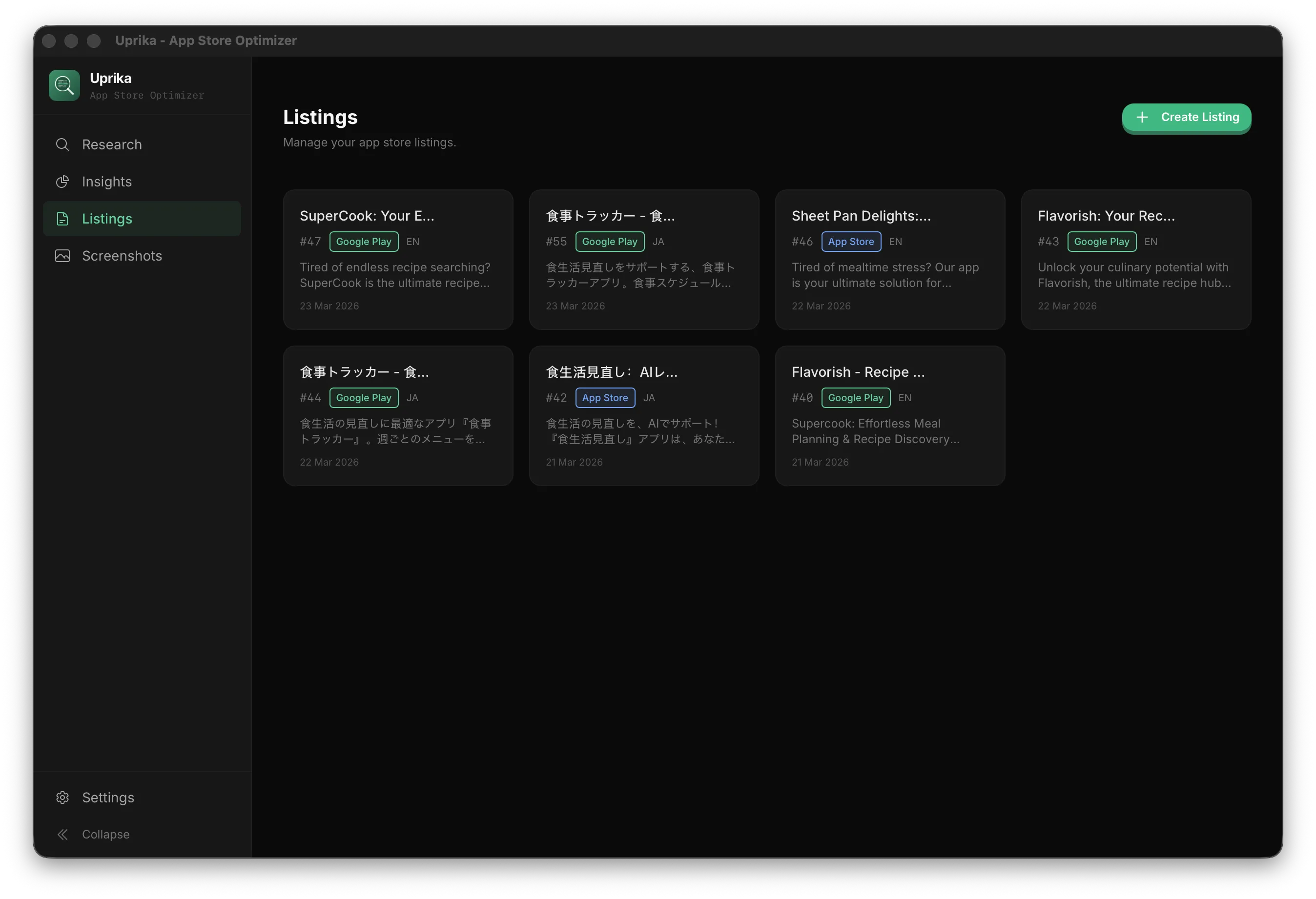
AI generates a keyword-optimized listing — app name, subtitle, description, keywords, and metadata. Edit in real-time with keyword coverage tracking that shows exactly which keywords you've used.

  • All fields: title, subtitle, description, keywords
  • Real-time keyword coverage tracking
  • Screenshot builder with 50+ templates
3

Expand & Publish

One click to expand your listing to any new language — AI translates text, rewrites screenshot captions, and optimizes keywords for that market. Then publish directly to the store.
  • Expand to 30+ supported languages
  • Quick translate or keyword-optimized mode
  • Direct publish to Play Store & App Store

Pricing

Simple, Honest Pricing

Start free. Upgrade when you're ready.

Free

$0

Full-featured, no credit card

  • 8 AI-generated listings
  • 10 keyword scans
  • AI keyword research & scoring
  • Expand to new languages & markets
  • Screenshot builder & all templates
  • Export all device sizes
  • Keyword coverage tracking
  • Bring your own AI provider
Download Free
Most Popular

Pro License

$79 /one-time

2 devices · 1 year of updates

  • Unlimited listings & languages
  • Unlimited keyword scans
  • Everything in Free
  • Direct publish to Play Store & App Store
  • CLI & agent automation
  • Activate on 2 devices
  • 1 year of free updates
  • Priority support
Get Pro License

App works forever. Extend updates for $29/year. Switch devices anytime.

Your data stays on your machine. Bring your own AI provider.

FAQ

Frequently Asked Questions

What AI providers does Uprika support?
Uprika works with any OpenAI-compatible API: Ollama (free, runs locally on your machine), OpenAI, Google Gemini, Anthropic Claude, OpenRouter, or any custom endpoint. You bring your own API key — Uprika never charges for AI usage. Your API key is stored locally in your OS secure keychain (macOS Keychain, Windows Credential Manager, or Linux Secret Service), never sent anywhere except the AI endpoint you configured.
Where is my data stored?
Everything stays on your machine. Uprika uses a local SQLite database — your keywords, listings, and screenshots never leave your computer. API keys and store credentials are stored in your OS keychain (macOS Keychain, Windows Credential Manager, or Linux Secret Service), encrypted at rest.
Do I need Chrome installed?
Chrome is optional but recommended for Google Play keyword scanning. App Store scanning works without Chrome. If you have Chrome, Brave, or any Chromium-based browser installed, Uprika will auto-detect it.
What's included in the free version?
The free version gives you 8 AI-generated listings, 10 keyword scans, the full screenshot builder with all 86+ templates, language expansion, and keyword coverage tracking. Enough to fully optimize a couple of apps. No time limit, no credit card required.
What happens after 1 year of updates?
Your app keeps working forever — you own it. After 1 year, you just stop receiving new feature updates. You can extend updates anytime for $29/year. There's no subscription and the app never stops functioning.
Can I publish directly to the App Store and Google Play?
Yes. Add your Google Play service account JSON key and/or Apple App Store Connect API key in Settings. All credentials are stored locally on your machine in the OS secure keychain (macOS Keychain, Windows Credential Manager, or Linux Secret Service) — never sent to any server. Uprika reads them only at publish time to push listing metadata directly to the stores. This is a Pro feature.
How does "Expand to Market" work?
From any existing listing, click "Expand to Market" and pick a new language. You get two modes: Quick translates your listing using AI, or Optimized runs a keyword scan for that market first, then generates a listing optimized for those keywords. Both modes also translate your screenshot text automatically.
Is there a CLI for automation?
Yes. Uprika includes a full CLI that can scan keywords, create listings, expand to new languages, and publish — all from your terminal. It supports TOTP authentication for secure agent access, so AI coding assistants like Claude Code can use it too.

Download Uprika

Available for macOS, Windows, and Linux.

Works with Ollama (free, local), OpenAI, Google Gemini, Claude, or any OpenAI-compatible API